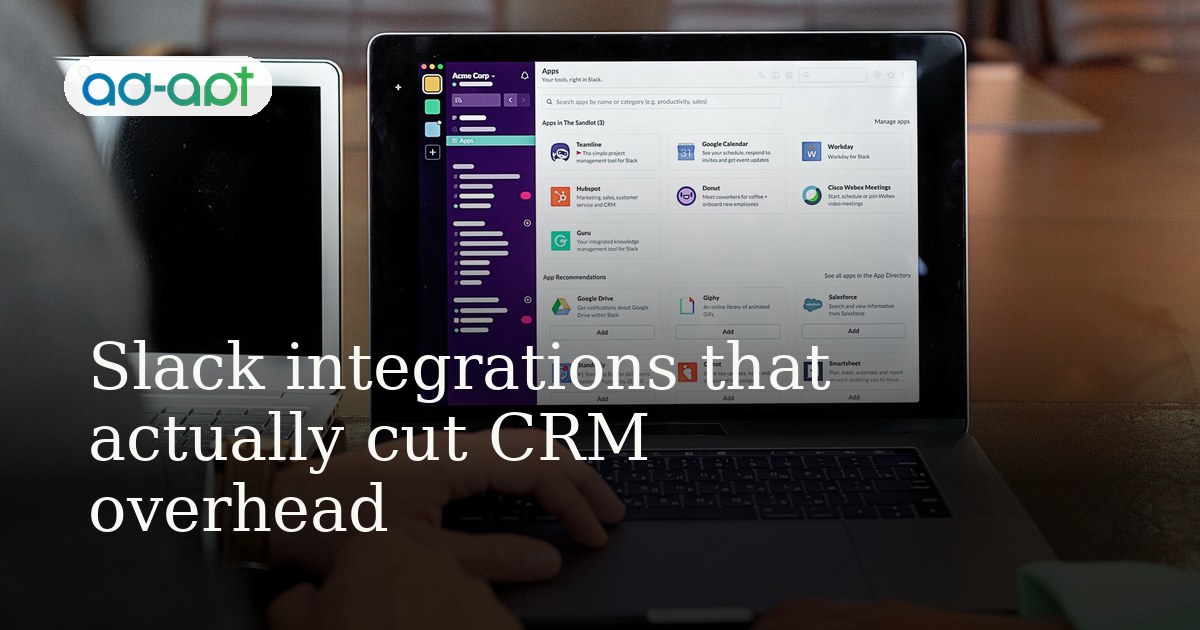
Why do most Slack-CRM integrations fail to save time?
Because they're built backwards. Teams implement Slack notifications or two-way sync hooks without first asking: "What's the actual bottleneck?" Usually, the bottleneck isn't "we need Slack alerts"—it's "we're constantly re-entering data" or "deal info lives in five places." Adding Slack on top of broken data flow just creates alert fatigue.
We've run this cycle with A Mint Life, a financial wellness operator managing 500+ contacts across sales and service tiers. They had Slack integrated to their Zoho CRM, but it was noise: notifications for every stage change, nobody reading them, and spreadsheets still getting updated by hand. The integration was active. The time-saving part was dead.
The fix wasn't more notifications. It was choosing three automations that matched their actual workflow pain, then removing everything else.
Which Slack-CRM automations actually eliminate manual work?
Three categories work. Everything else is theater.
1. Inbound capture (Slack message → CRM record)
A customer DMs your Slack workspace, or a team member forwards an email thread. Instead of copying it into the CRM, a native Slack button or bot creates a contact or deal record with the message text pre-populated.
Tools that do this well: Slack's native CRM connectors (HubSpot, Salesforce), Zapier for Zoho, Make (formerly Integromat) for mid-market stacks.
Time saved: 90 seconds per inbound inquiry × your daily volume. If you're fielding 20+ leads a day in Slack, you're saving 30 minutes weekly just on data entry.
2. Assignment and routing (CRM event → Slack notification + optional auto-response)
A new lead comes in. The CRM rule fires, creates a record, and immediately notifies the right person in a specific Slack channel. That person can claim it or pass it. No admin checking the CRM inbox; no "did so-and-so see the lead?" emails.
This works best when the routing logic is dead simple: "All leads from Region X go to Channel X and @mention the regional lead."
For A Mint Life, we set this up in Zoho with Slack: new financial wellness client inquiry triggers a message in #sales-inbound with a "Claim" button. Claiming it assigns the deal to that rep and closes the Slack thread. Before: CRM monitor window open, manual assignment. After: one Slack notification, one click, done.
3. Status sync (bi-directional, minimal)
Deal moves to "Negotiation" in the CRM, a Slack bot updates a pinned message or thread. Or a rep marks a task "Complete" in Slack, and the CRM updates without them opening the CRM. The key: limit it to one or two high-velocity fields. Deal stage. Task status. Nothing else.
Most teams try to sync ten fields and drown in sync errors and out-of-order updates. Pick the one field that matters most to Slack visibility. Usually it's deal stage or ticket status.
Time saved: eliminates the "let me check the CRM for the current status" moment. For a team of 8 running 50 active deals, that's 5+ status checks per day avoided. Small per instance, but totals 40 minutes per week.
What should you avoid in Slack-CRM integration?
Full two-way sync on custom fields. Notifications for every field change. "Sync all contacts" as a background job. Real-time lead-score alerts. Auto-posting customer sentiment from tickets to a general channel.
These create noise, sync debt, and Slack fatigue. Teams mute the channels and stop reading them within a week.
Instead: focus on the three categories above. Ask your operations team, "What task do you repeat most in both Slack and the CRM?" That's your pilot. Wire up one automation end-to-end, measure time saved over two weeks, then add the next one.
How do you set this up with zero engineering?
Most modern CRMs (HubSpot, Salesforce, Zoho) have native Slack app marketplaces with pre-built templates. If yours doesn't, Zapier or Make handle 90% of cases. You'll need:
- Five minutes to connect your Slack and CRM OAuth tokens.
- Ten minutes to define the trigger ("new deal created") and action ("send Slack message to channel with deal details").
- Two minutes to test it with dummy data.
No webhooks. No code. If your CRM admin is comfortable clicking buttons in Zapier, they can ship this solo in under an hour per automation.
The hard part is discipline: setting up three automations, not seventeen. Document which automations you activated and why. Six months later, review usage. If a channel is muted, kill the automation.
Real example: what this looked like for A Mint Life?
A Mint Life handles financial wellness matching—connecting clients to advisors. They had Zoho CRM but were losing inquiries in Slack threads and email forwards.
We implemented three automations only:
- New client inquiry (Slack message from a partner) → Create contact + deal in Zoho via Zapier. Time saved per inquiry: 2 minutes.
- Deal created in Zoho → Post to #client-matches with deal summary and a "Claim" button. Claiming it assigns to the rep and closes the thread. Time saved per assignment: 1 minute, plus visibility for the operations manager.
- Deal status moves to "Matched" → Notify #operations (not all channels). That's it.
No sync of phone numbers, no alerts on task creation, no custom field mirroring. Result: 8 people, no CRM admin, automations running for 18 months with zero breaks. They reclaimed about 10 hours per month that was spent on data entry and status checking.
The real win: because the integrations were stable and non-intrusive, nobody disabled the Slack app channels. The system stayed trusted.
What's the actual ROI math?
A team of 5 running 30 active deals: three core automations (inbound capture, assignment routing, status sync) eliminate roughly 200 minutes per month of manual CRM entry and status checking. At fully loaded ops salary (~$35/hour), that's $116 per month per person, or $580 for the team. Against $0 setup cost (native integration) or $50–100/month (Zapier), payback is immediate.
Bigger win: fewer dropped leads and cleaner data. Harder to quantify, but usually worth 2–3x the direct time savings in recovered revenue.
Pick your three automations, test them for two weeks, then measure. If adoption is real and channels stay active, scale. If the Slack channels go quiet, you wired the wrong pain point. Pivot and try again.